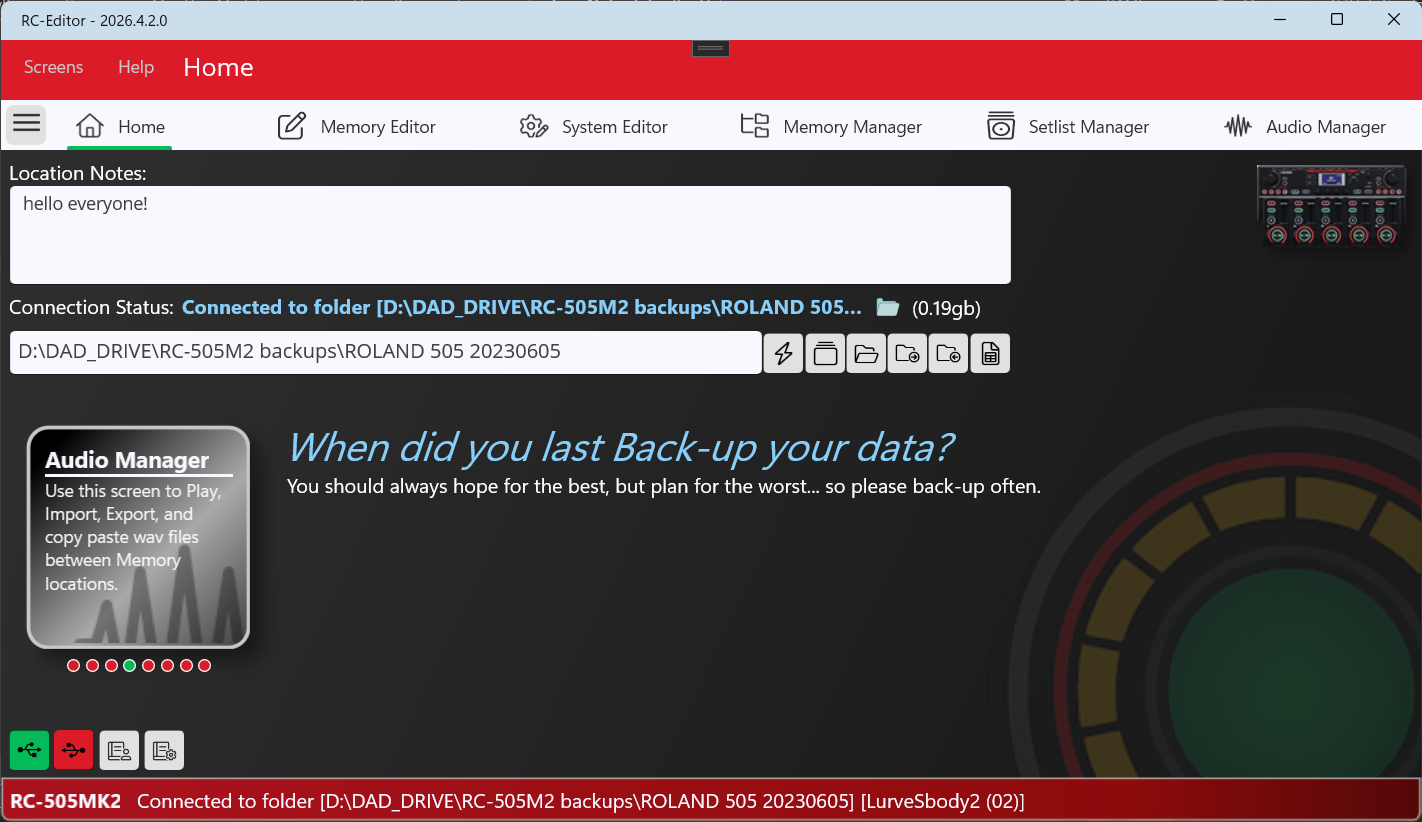
Welcome to the RC-Editor homepage.

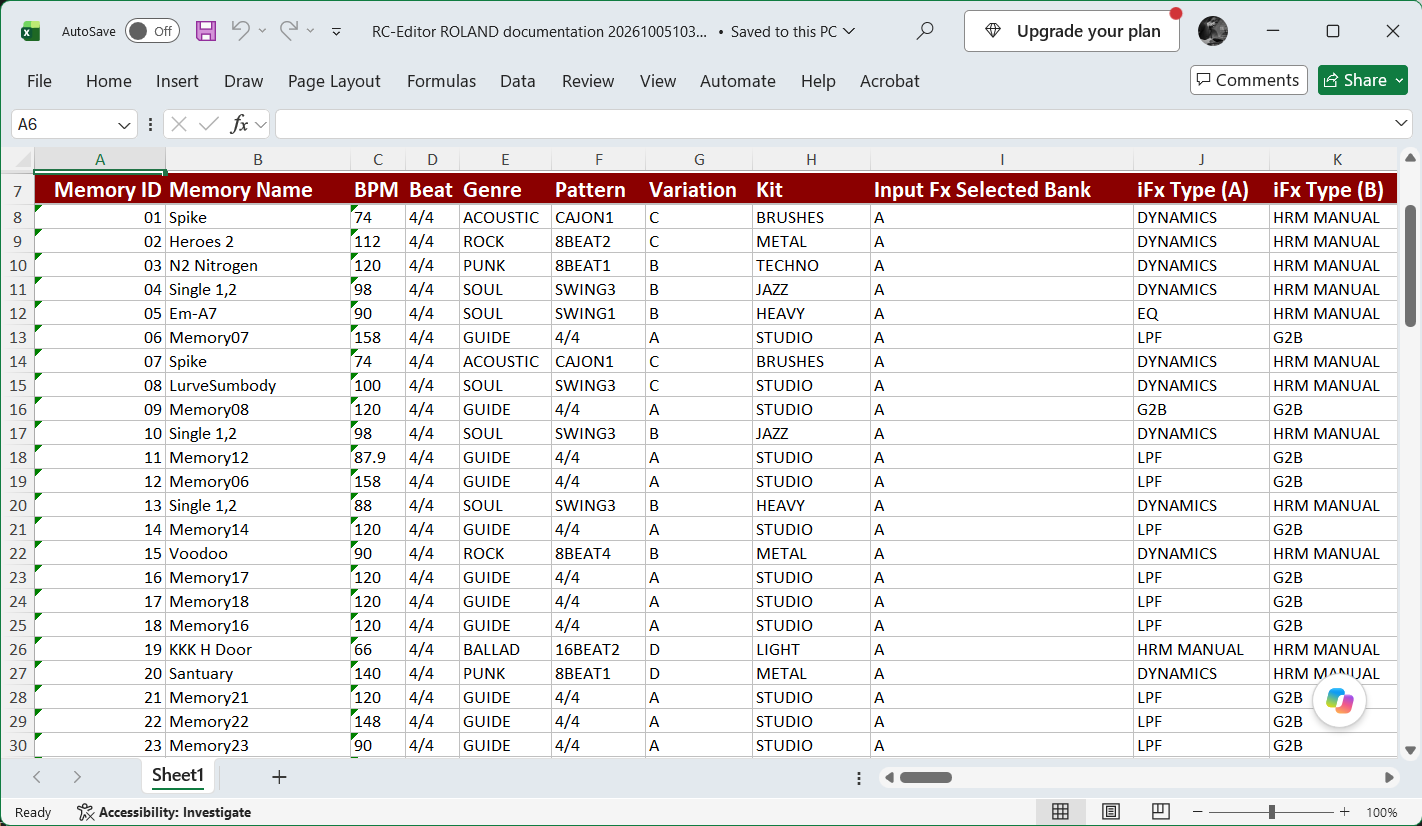
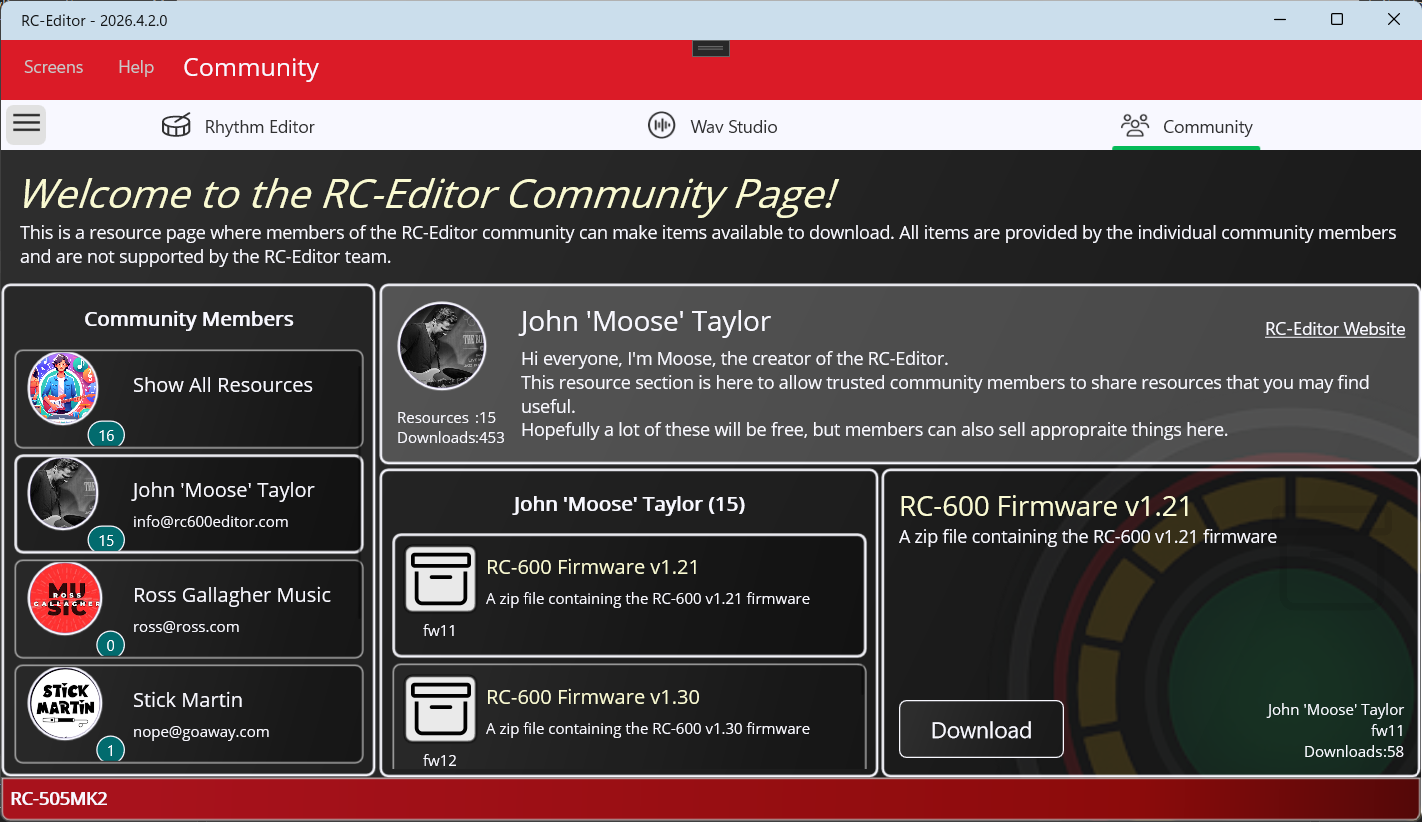
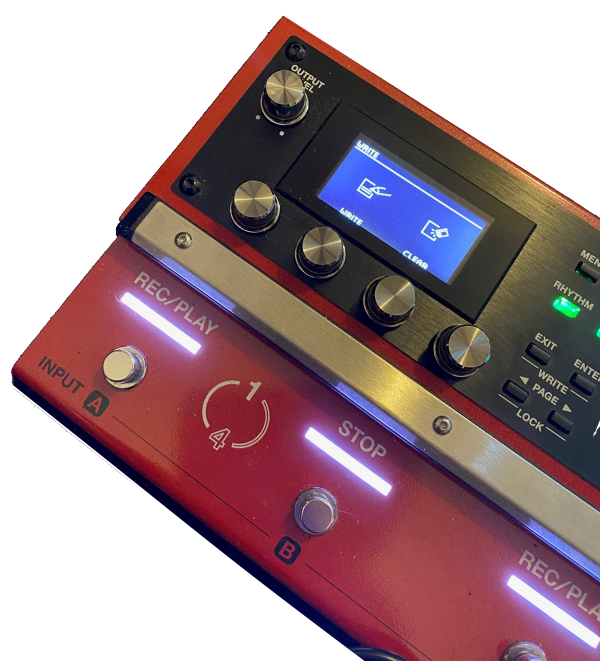
The Boss RC-600 and RC-505mk2 loop stations are awesome, but neither have a desktop editor that allows you to manage your memory locations, system settings, and audio loops.
...so we created one for you!
click below to download the RC600 / RC-505mk2 editor.
(Tested against Firmware 1.5)

Get the Editor

NOTE: this website, the developer, and the software are in no way affiliated with Boss/Roland. This editor was created because there wasn't an official one. We have no control over how Boss/Roland write their configuration files (memories/system etc.) Although we endeavor to ensure that everything works as expected, please use your common sense and back-up your system drive regularly.

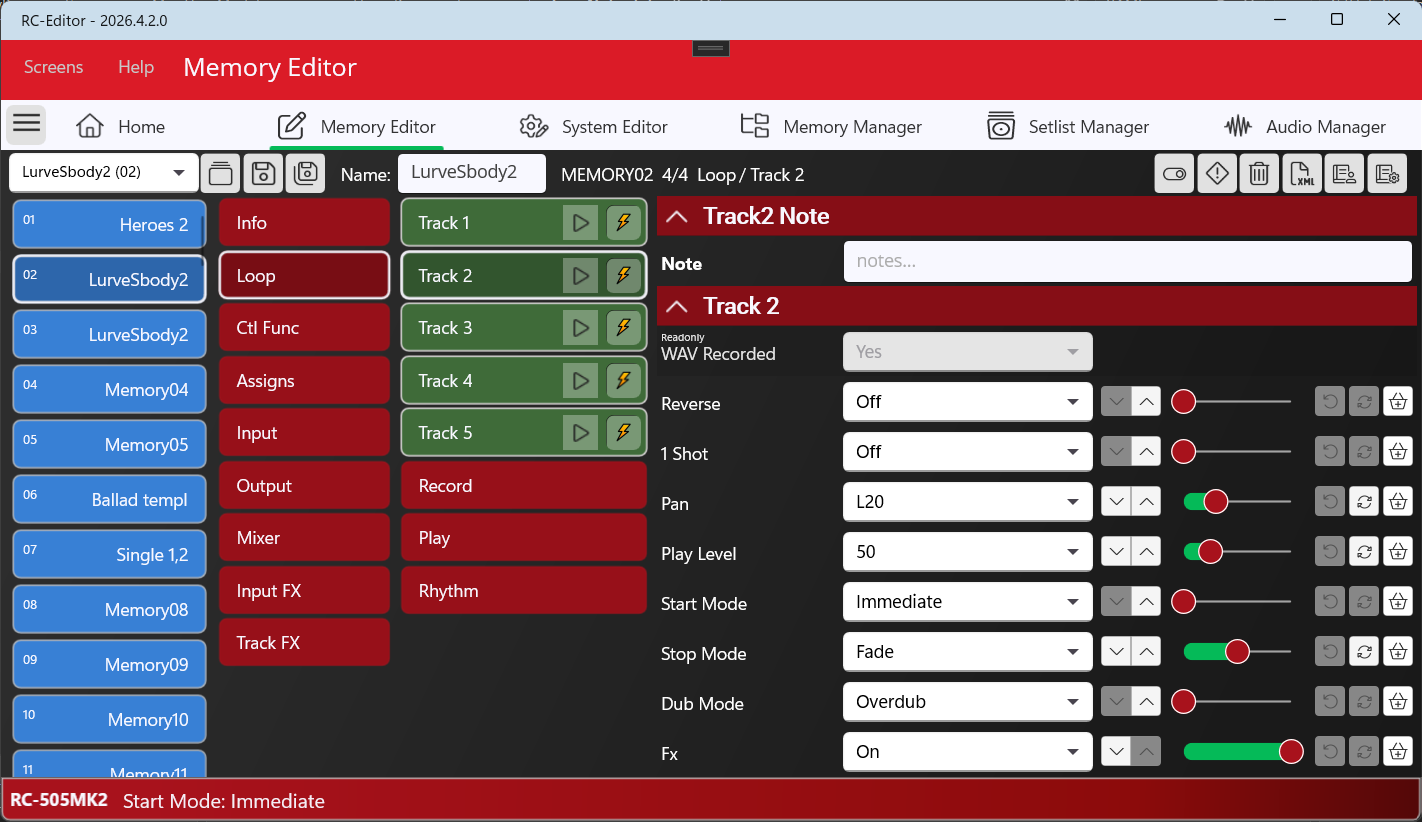
Easy Edit

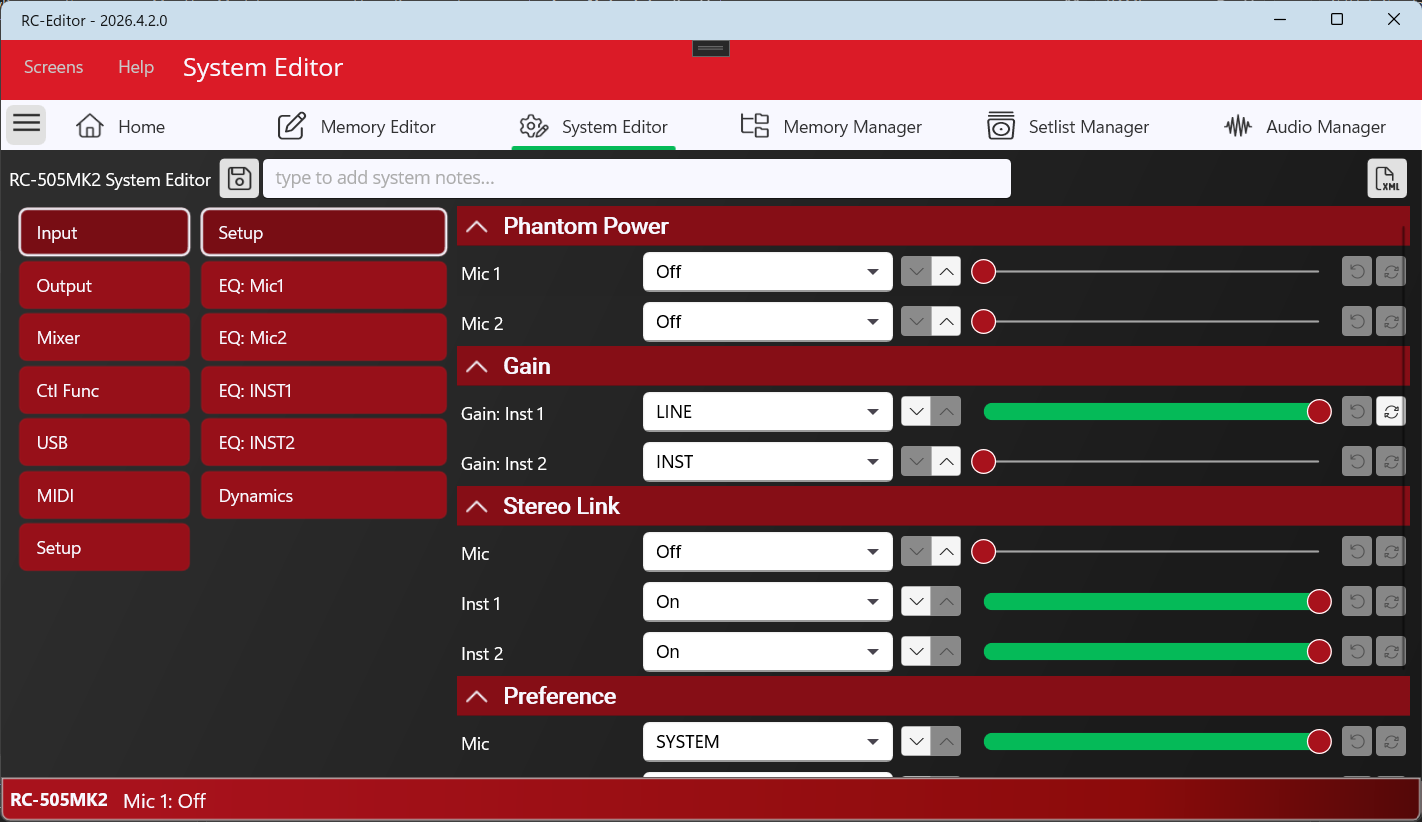
Edit your memory locations and system settings with ease...no more back-ache!

more

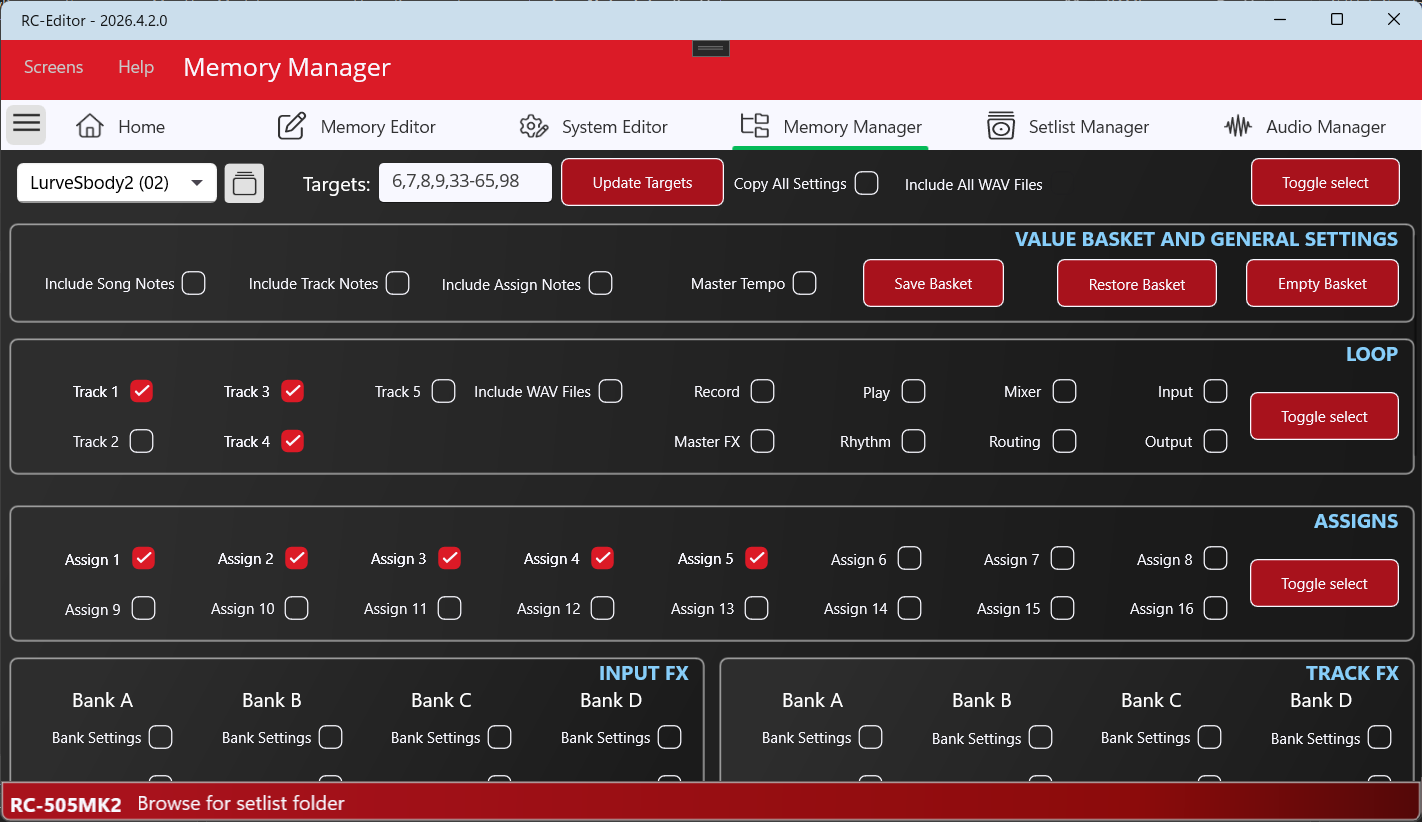
Memory Manager

Easily paste settings into multiple locations with the click of a button.

more

Create Backups

Backup all your system, memory, and loops with the click of a button!

more

Manage Audio

Manage your loop audio with import, export, cut, copy, paste, and play functionality

more

Set Lists

Quickly drag and drop memory locations to create, and load from set lists.

more

Easy Edit

Stop scrolling through confusing menu items

Although laid out to mirror the RC-600 & RC-505mk2 menu system, the desktop editor allows you to easily update memory and system settings.
I've coded the editor screens to be both functional and intuitive, with easy "revert" functionality if required.

Use drag and drop to re-order memory locations, and right click on locations to rename, or reset to factory!

Download the Editor

Memory Manager

Use Memory manager to copy settings between memory locations.

Using this tool, you can quickly update multiple memory locations based on your current workflow. Reset Assigns, Mode button configuration, or any other setting!

If your looper is available on your network, you can also use this screen to bulk "push" changes to your hardware.

Download the Editor

Easy Backup and Restore features

Single click backup creation and feature rich restore options!

It's always good practice to back-up regularly, and the RC-600 / RC-5050mk2 editor makes that easy with its backup button. You also get a great restore feature that allows you to choose exactly what you want to load!

Download the Editor

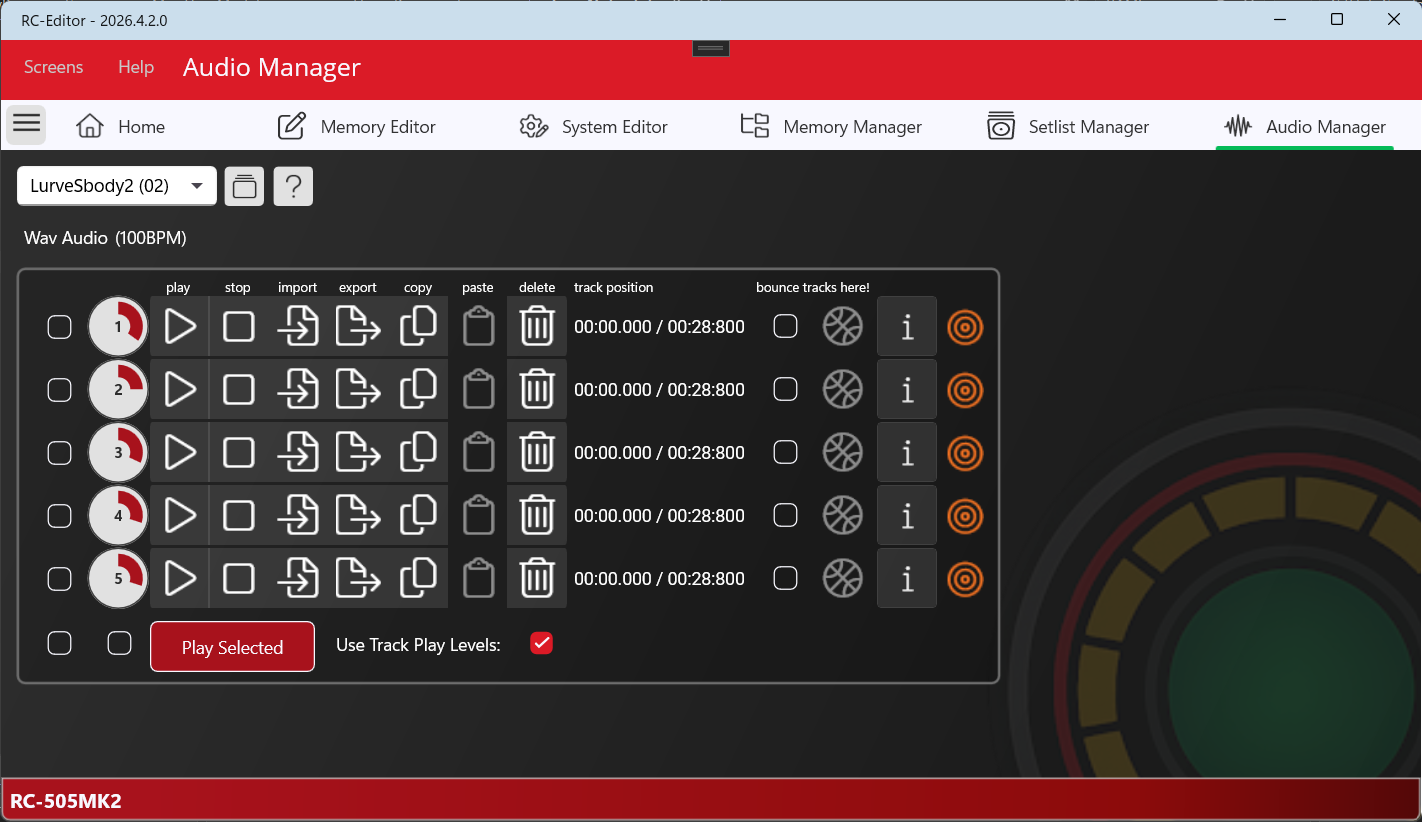
Audio Manager

Listen to, import, export WAV files between locations!
You can even use the editor to bounce down tracks while you're offline (which is very cool)

The audio manager takes the hassle out of importing WAV files. It detects the file properties and will prompt if you need to provide tempo information.

The audio manager will also auto-convert 8,16 and 24bit wav files to the required 32bit 2 channel, 44100hz format (including the 512kb padding requirement!)

Download the Editor

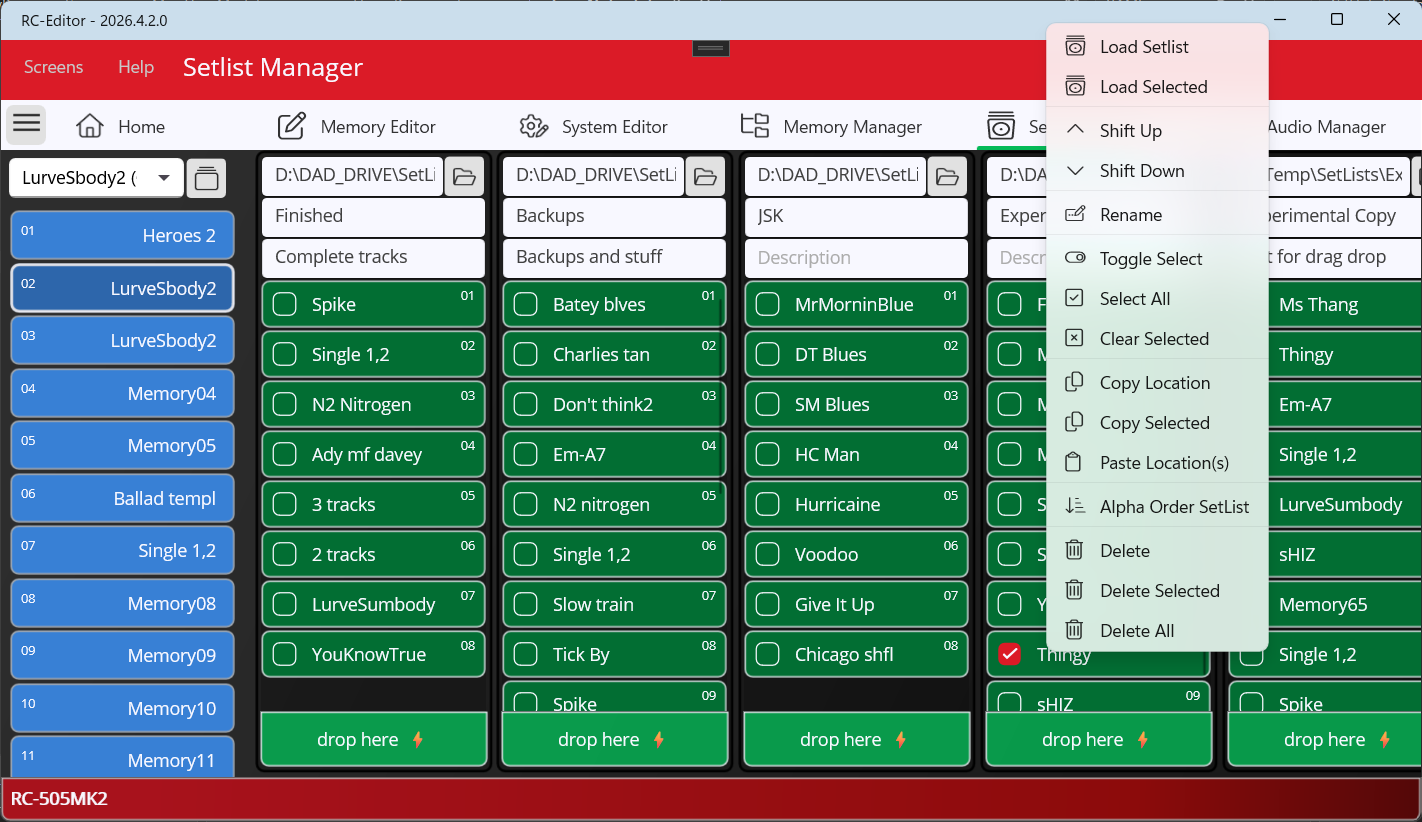
Setlist Manager

Do you just have loads of songs?

Got a last minute wedding gig...Use the setlist manager to curate your memory locations making it easy to tailor your gig to your audience!

The setlist manager also makes it easy to manage your song templates or just use them to catalog your creative ideas!

Download the Editor

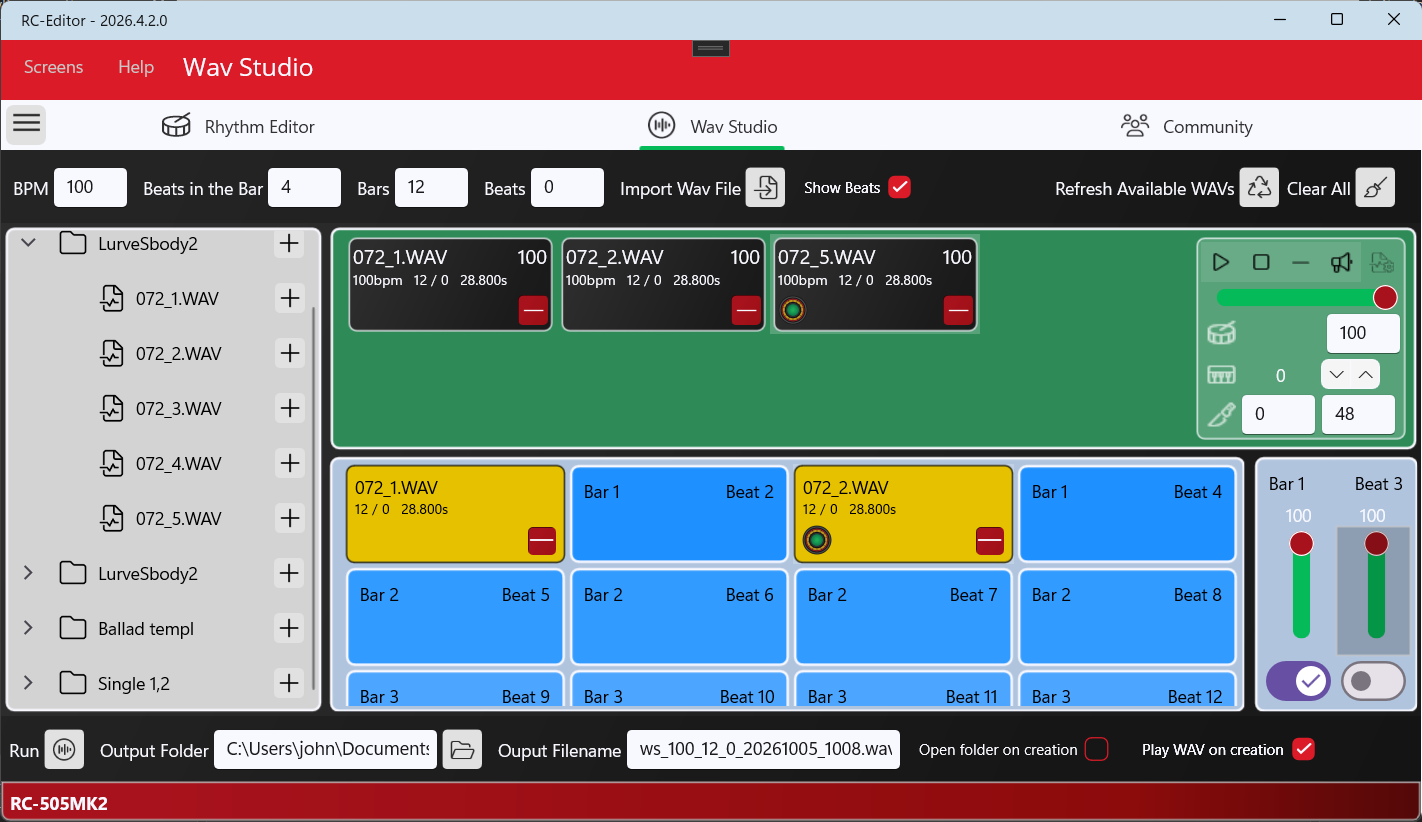
Wav Studio

Chop, Slice, Fade in, Normalise, and Join WAV audio in the editor!
If you have long audio files and you want to break them into smaller sections, or you want to join multiple files together, then this is the screen for you!

WAV Studio is a simple tool for getting your WAV audio just right.

Download the Editor

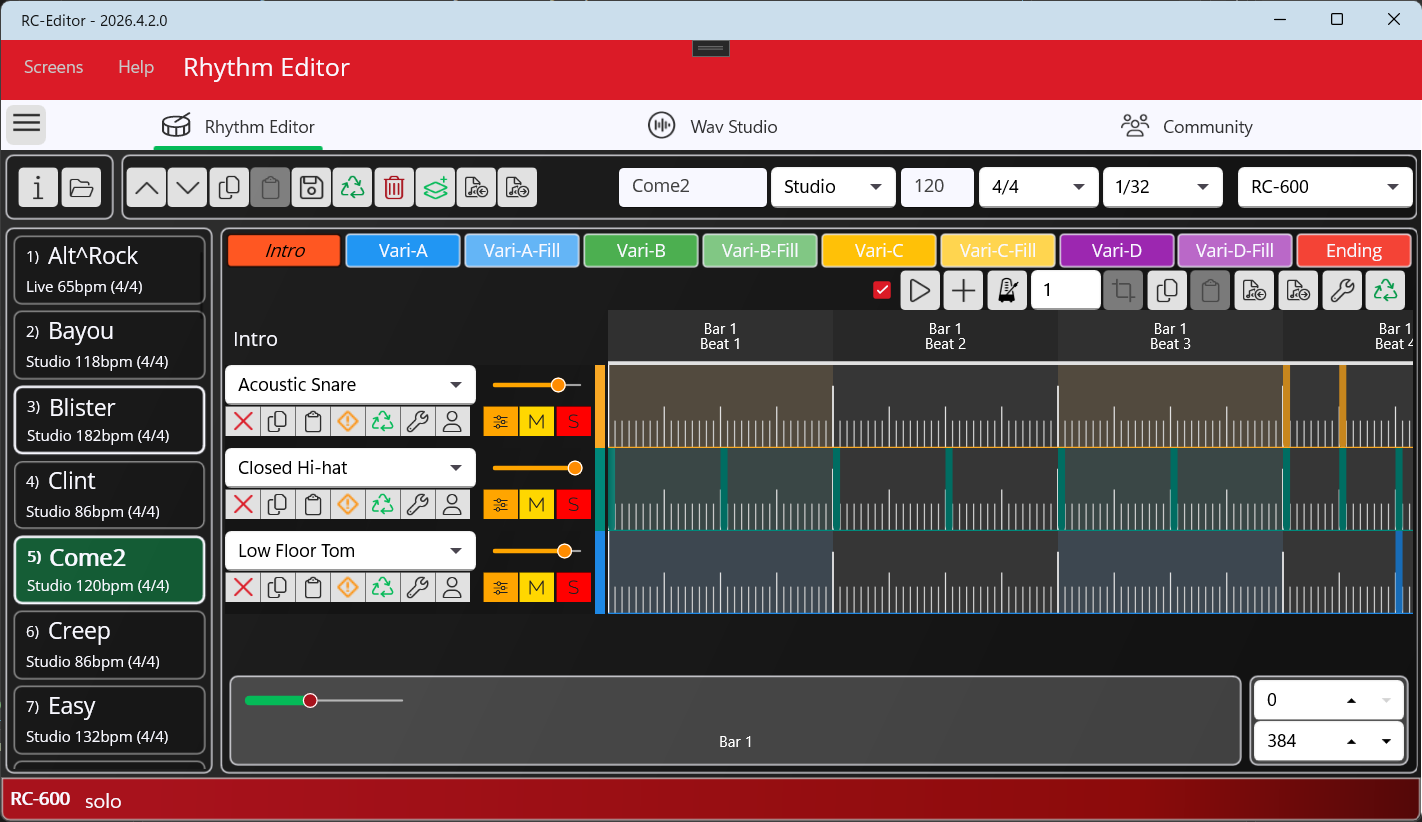
Rhythm Editor

Do you want to create your own drum beats?

Rhythm Editor allows you create your own custom drum beats without having to use the clunky BOSS Rhythm converter!

Copy and paste parts between tracks, import and export track MIDI. Preview and Edit notes and velocity directly in the RC-Editor!

Download the Editor

Version 2026.2.11 now available (Tested against Firmware 1.5)
Windows 10 (Build 19041) / Mac 12 (Monterey) and above.
Version 2023.4.7 available for Mac 11 (Big Sur)

Click the button below to download the latest RC-600 / RC-505mk2 Editor

Download the editor

Download for free to see how you like it, then, if you want to use it to update your files, you can obtain an unlock key using the Licence option in the app.

Alternatively you can purchase the app now by visiting the purchase page.
View version history

Frequently Asked Questions

Nope. This software is not affiliated to Boss/Roland. It was created by John (Moose) Taylor, an RC-600 user who also happened to be an application developer.

Yes, just select Mac when you download

Everyone is free to download the software and try it out, but you will find that the save functionality is disabled. You need to visit my payment provider page to purchase.
You will then be emailed an unlock code that you enter in the app to unlock

Nope, One licence, regardless of whether it's Mac or PC, or what your looper is. The software detects if your RC-600 or RC-505mk2, so can easily switch between them

All good, One licence, regardless of whether it's Mac or PC

Something on your mind?

Click the button below to get editor support, make a feature request, or just say "Hi".

Found a bug!

Have you discovered a bug? (in the editor)
Sorry about that. Use the button below to tell us, and we'll get it sorted.

Note: If you have any general usage questions for the RC-600 Loopstation, I recommend you ask those on the "RC-600 Editor" Facebook page here

What's New

For the full release history, see the What's New page.